- IAT 445 Info About & Contact
- Week 1 Intro & Big Picture
- Week 2 Immersion
- Week 3 Immersion; proj 1 present.
- Week 4 Proj. 2 feedback
- Week 5 Proj. 2
- Week 6 VR,Proj. 3 feedback
- Week 7 Proj3
- Week 8 Midterm; start designing
- Week 9 refine projects.
- Week 10 Design & prototype
- Week 11 Refine & prep showcase
- Week 12 practice showcase
- Week 13 Showcase & video
- Week 14 ...
General Information
About IAT445 Immersive Environments
Note: this is the former and out-dated website from the 2013 course offering. Please see iSpaceLab.com/Riecke/Teaching/#445 for the latest course offerings and information
Course Description
In this project-based course, you will use an immersion framework to design, create, and evaluate immersive virtual environments and the interaction between the user and the virtual environment. To do this, we will combine hands-on fundamentals with interaction, animation, and immersive virtual reality design and theoretical and research concerns. Your project will serve to both motivate and implement/showcase these aspects. The course will culminate in a final interactive project showcase and project pitch (oral/video) of your team project.
What’s in it for you?
In a nutshell: you’ll learn how to design, build, and iteratively refine a cool immersive and interactive virtual environment that should blow the user away. To do this, you will use the popular unity3D game engine and guidance from an immersion framework. If you manage to implement it on your mobile phone/tablet using a simple cardboard view like the FOV2Go or the Oculus Rift you’ll be able to showcase it wherever you go – including your next job interview and the next party. Combining a public project showcase with an executive summary and a final project video can further improve your resume/portfolio and marketability.
Details and further information can be found in the course syllabus on Canvas.
Course Objectives, Learning Goals & Outcomes
In this course, you will learn and be prepared to:
1. Examine the history and conceptual frameworks surrounding “immersion” and “immersiveness” and what this means for digital immersive environments and their users.
2. Apply a conceptual framework in relation to your own immersive project/interface and critique its’ utility in terms of your application.
3. Demonstrate moderate proficiency using appropriate software (currently: Unity 3D) to design and build interactive (including user interaction and animation) immersive 3D virtual environments and display them on off-the-shelf computational devices/displays.
4. Engage in a small team, to apply an agile and iterative interaction design process to define project goals and processes, and then iteratively design, build, evaluate and refine an immersive environment and the user’s interaction with it.
Contact Information
- Instructor: Bernhard Riecke: ber1[at]sfu.dot.ca, Web: iSpaceLab.com/Riecke or www.siat.sfu.ca/faculty/Bernhard-Riecke/.
- TA: Amber Choo: achoo [at] sfu.ca, web
- Office hours: by appointment; talking to us after lecture/workshops works best typically
Time & Location
Lecture: Wednesdays, 3:30PM - 4:20PM, in SUR 2600
Workshops:
D101: Th 4:30PM - 6:20PM SUR3100
D102: Th 6:30PM - 8:20PM SUR3100
important dates (see also SFU Academic Calendar dates):
- First day of class: 4 September
- Last day of class: 28 November
Course Management System: Canvas
login, then go to "iat445" or directly here
Canvas video guides
Course Textbooks
Required
- Online software tutorials such as Lynda.com
Suggested
- “Creating Games with Unity and Maya: How to Develop Fun and Marketable 3D Games” (2011) by Adam Wakins; Focal Press; ISBN 978-0240818818
Supplementary readings will be announced as needed. Reference readings will be added to the course website as needed.
Other useful matrials & links
Will be populated during course
unity
- http://www.design3.comLots or resources on gaming incl. Unity and iOS/Android export
Software
- Autodesk 123D catch: photo-based 3D modeling
Virtual Reality
Sample final project videos from the Spring 2013 course offering
see my iSpace website for more infos about previous course offerings and student projects. .
Team Pendulum: Finding Alice
Team UFOria: Alien Abduction
Team Underland: Underlurcker
Impressions from final project showcase in April 2013
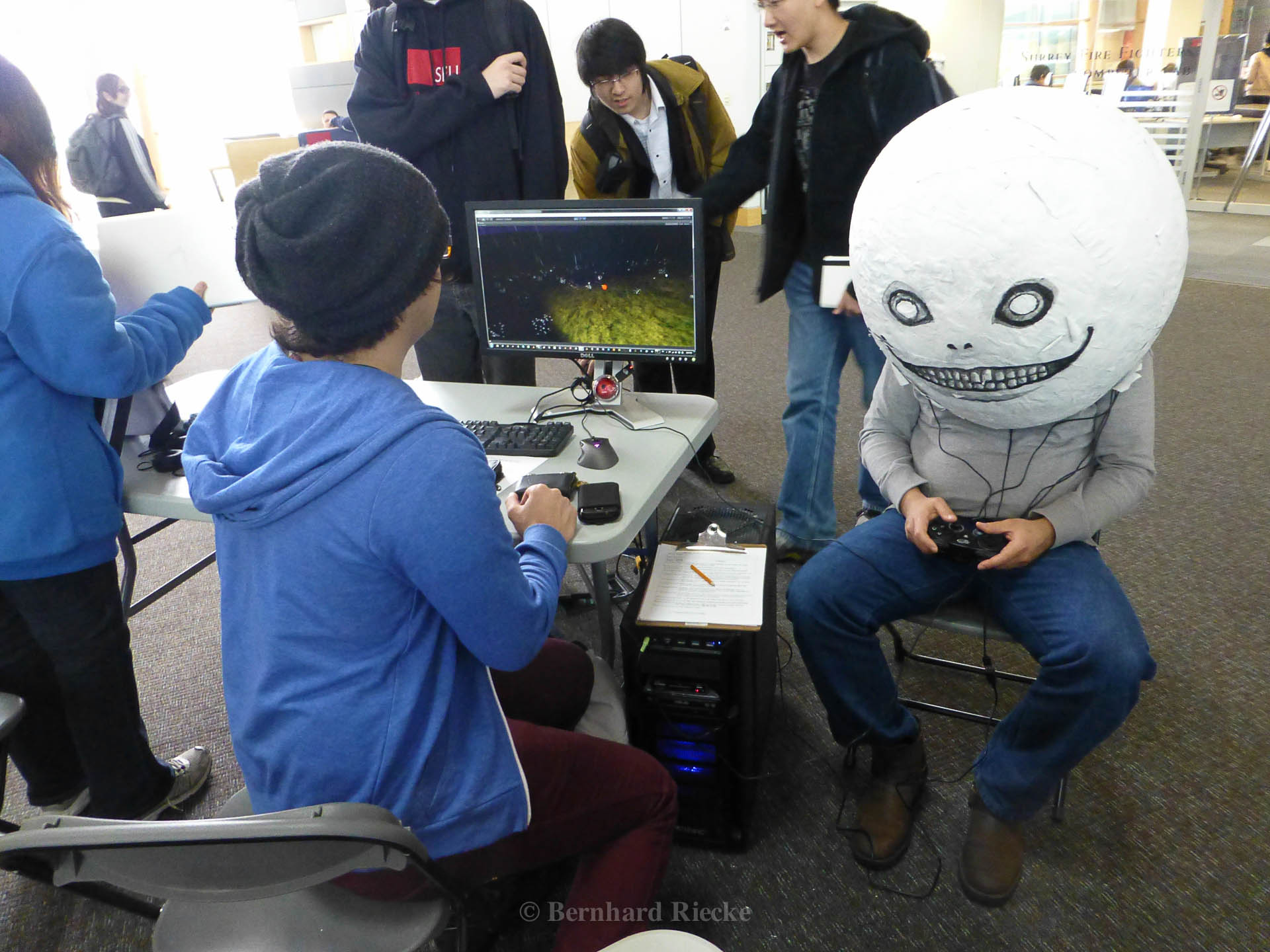
9 Teams showcased their own immersive Virtual Reality projects that they developed in the popular game engine Unity3D - for most of them this was their first exposure to the software. Below are first impressions of the showcase — thanks to all the students for their great contributions! Additional media coverage: SFU media release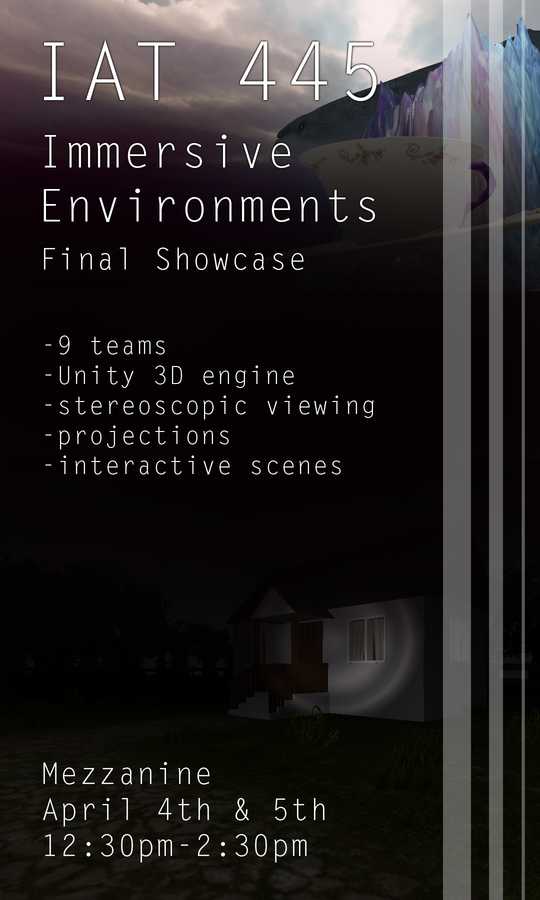
Student Portfolios
Below are some examples from Student portfolios which were created as part of this course to highlight students' skills and projects and promote their competitiveness on the job market.
Amy Hsuanwen Wang
Devin Cook
Stefan Dalen
Sarah Han
Kyle Historillo
Khalid Abdullah
The redesign of the 2013 offering of the course was supported by a Teaching and Learning Development Grant and invaluable assistance by educational consultant Barb Berry.
Introduction & Big Picture: What is immersion?
Learning Goals
What, why, so what? Understand course procedures and "big picture"
understand why we decided to do more and lecture less in "lectures" and workshops
Introduction to immersion: what is it? why care?
get excited about opportunties and course projects ;-)
Lecture
- Overview & course mechanics
- Unity3D demo & video tutorial preview
- What is "immersion", and why care?
- Q&A
Workshop
- Getting to know each other (look for possible team mates)
- Discussion about "soft skills"
- Review of website and canvas
- Introduction to 3D apps for phones/tablets
- intro to Unity3D
Please always bring your lecture notes and something to write.
please bring whatever mobile phone/tablet/PDA you might have in case you're interested in using it as a mobile viewer.
Readings for this week (due before lecture)
- I expect you to have read & understood the IAT 445 Course Syllabus.
Due This Week
Week 1 preparations:
- I expect all to have read & understood the IAT 445 Course Syllabus.
- please bring whatever mobile phone/tablet/PDA you might have
Workshop prep: come prepared to:
Preparation for Next Week
Immersing yourself... Proj 1 feedback
Learning Goals
aka: After completing this section, you should be able to do the following:
Examine the history and conceptual frameworks surrounding “immersion” and “immersiveness” and what this means for digital immersive environments and their users.
In particular, explain difference between different forms of immersion (sensory, imaginative, and challenge-based), be able to provide suitable examples for each type, and apply it towards your own immersive environment (unity) project.
Unity3D: use video tutorials & readings to learn the skills (see Unity assignment 1); use workshop time to answer open questions/go deeper
Key Concepts
Sensory immersion
imaginative immersion
challenge-based immersion
unity: see assignment 1
Lecture
- Teaching/learning approach
- Course structure & project requirements
- More on immersion
- potentially mini-quiz
- Richard St. John's "8 traits that lead to great success", and how to apply / work on them in this course
- revise for learning progress plan & reflection assignment
- Tech update
Workshop
- Presentation & discussion of assignment 1 (ungraded - but your chance to get feedback so you can score well the subsequent week)
- TBD: Introduction to unity remote on android / iOS
Readings for this week
- See "to-do's for week 2" in Canvas
Due This Week
Do readings listed above & see "to-do's for week 2" below
Preparation for Next Week
Types of immersion; Project 1 presentation
Learning Goals
Examine the history and conceptual frameworks surrounding “immersion” and “immersiveness” and what this means for digital immersive environments and their users.
In particular, explain difference between different forms of immersion (sensory, imaginative, and challenge-based), be able to provide suitable examples for each type, and apply it towards your own immersive environment (unity) project.
Unity3D: Show proficiency in the following skills in workshop by demonstrating, explaining, and answering questions
- smoothly navigate the Unity3D interface
- create and transform simple objects
- using mouse/keyboard to move camera in desired directions
- use texture editor to create a terrain, and paint topography, textures, trees, grass, 3D geometry, and meshes
- add sun, sky, fog to your scene
- using and fine-tuning a first person controller
Key Concepts
aka: you should be able to discuss / explain those terms (orally/in the exam), and apply them in your own project
Sensory immersion
imaginative immersion
challenge-based immersion
How is the notion of "flow" different from challenge-based immersion? How might flow be relevant and contributing to immersion?
immersive vs. immersion: What's the difference? Describe each term and discuss differences?
top-down vs. bottom-up processes in the context of immersion: What are they? How do they contribute?
What are the roles of priming, prior knowlege/expectations, and suspension of disbelief in the context of immersion?
unity: see above learning goals and assignment 1
Lecture
- Course entrance questionnaire feedback (if enough people submitted)
- activity on Immersion & JiTT responses
- potentially mini-quiz
- Immersion/game inspiration analysis: get inspired and learn for your own project
- 123D catch: simple photo-based 3D modeling
Workshop
- Graded presentation of assignment 1 - please come prepared
- team forming
- 123D catch: photo-based 3D modeling activity - model yourselves
Readings for this week
- See "to-do's for week 3" in Canvas
Due This Week
Do readings listed above & see "to-do's for week 3" below
Preparation for Next Week
Proj 2 Feedback
Learning Goals
- tobe finalized... draft below
Unity3D: use video tutorials & readings to learn the following skills; use workshop time to answer open questions/go deeper
- using collision detection and physics to guide users navigation and as triggers
- using sound sources/effects
- integrating prefabs and particle systems to achieve desired effects
- use different lighting types in meaninfuland effective ways to achieved desired effects
- see assignment 2 for details
Key Concepts
see unity assignment 2 for details
Lecture
- Background & historical perspective of VR & immersion, and what to learn from it
- How to make a compelling argument and a good (JiTT) submission
- Immersion/game inspiration analysis: get inspired and learn for your own project
- TBD: show Jay's presentation on immersion framework
- potentially mini-quiz
Workshop
- Peer feedback on Assignment 2: practice presenting and using grading rubric yourself
- Formative (informal) self-evaluation and peer-feedback in team; Goal: to help improve teamwork and outcomes
- Presentation & discussion of assignment 2 (ungraded - but your chance to get feedback so you can score well the subsequent week)
- Affinity Diagrammingin teams: brainstorm using post-it notes on the coolest things you could attempt in Unity for future projects
Readings for this week
- See "to-do's for week 4" in Canvas
Due This Week
See "to-do's for week 4" below
Preparation for Next Week
History of VR; Project 2 presentation
Learning Goals
- Understand the history of immersive environments & virtual reality and how we got from there to now
- Understanding what immersion (emergent psychological phenomenon) vs. immersiveness (affordance of supporting the user’s active co-creation of the immersive experience) is and how/why it matters
- Use these insights to inspire and guide the future development and improve interfaces
Unity3D:
- Show proficiency in the skills required for project 2 in workshop by demonstrating, explaining, and answering questions
Lecture
- TBD
- Flow and how to design for it
- Analysis of immersiveness of computer game (TBD)
- how to manage your own success
- potentially mini-quiz
Workshop
- Graded presentation of assignment 2 - you will need to show your work in the Unity editor
- Assignment 3 introduction (and question period)
- revising & extending project plans
Readings for this week (and the JiTT assignment)
- See "to-do's for week 5" in Canvas
Due This Week
Do readings listed above & see "to-do's for week 5" below
Preparation for Next Week
Proj 3 Feedback
Lecture
- Analysis of computer game (probably: "TBD"): Immersiveness and design inspiration
- How to incorporate game analysis insights into your own projects: What can you learn from it?
- Requirements/goals for final projects
- History of VR and immersion, and how it might inspire the future and your own work
- potentially mini-quiz
Workshop
- Formative (informal) self-evaluation and peer-feedback in team; Goal: to help improve teamwork and outcome
- discuss project ideas further
- Presentation & discussion of individual part of assignment 3 ( your chance to get feedback so you can score well the subsequent week)
Readings for this week (and the JiTT assignment)
- See "to-do's for week 6" in Canvas
- Watch Lynda tutorials (see assignment 3 for details)
Due This Week
Do readings listed above & see "to-do's for week 6" below
Preparation for Next Week
Project 3 presentation
Lecture
- TBD
Workshop
- Graded presentation of assignment 3 - please come prepared
- Project brainstorming/planning and outlining in your final team
- Summative (formal) self-evaluation and peer-feedback in team
Readings for this week (and the JiTT assignment)
- See "to-do's for week 7" in Canvas
- Watch Lynda tutorials (see assignment 3 for details)
Due This Week
Do readings listed above & see "to-do's for week 7" below
Preparation for Next Week
Midterm: Show you skills; Setup Sketching
Lecture
- Midterm preparation: Q&A about Midterm exam - bring questions you might have
- Comparison & analysis of immersive games
- How to incorporate game analysis insights into your own projects: What can you learn from it?
- Requirements/goals for final projects
Workshop: Midterm!
- Practical midterm test: Unity 3D. Format:
- TEST: about 50min to complete an assignment in unity (you'll get an instructions handout)
- in-class GRADING: graded presentation of what you did while everybody else is working on the sketching/brainstorming activity lead by Andrew Milne (TBD; see below)
- last hour: Sketching and brainstorming activity about interface etc.
Readings for this week (and the JiTT assignment)
- See "to-do's for week 8" in Canvas
Due This Week
Do readings listed above & see "to-do's for week 8" below
Preparation for Next Week
Project presentations & critique/Feedback
Lecture
- JiTT feedback
- Midterm feedback
- Big picture of course: update on timelines etc.
- Activity on analysis of project video
- [if extra time: Cont'd: History of VR and immersion, and how it might inspire the future and your own work]
Workshop
- Team project presentations/pitches & feedback/critique session
- Integrating ideas & feedback into your own project
Readings for this week (and the JiTT assignment)
- See "to-do's for week 9" in Canvas
Due This Week
Do readings listed above & see "to-do's for week 9" below:
Preparation for Next Week
Main project: Design, prototyping and development
Lecture
- JiTT feedback
- Transitioning into the virtual: how to get your users "there"?
- Preview and discussion of final graded deliverables, the project showcase in week 12 etc.
Workshop
- Storyboarding & first user testing
- TBD:
- Project planning & scoping
- project design and prototyping/development
- sign-off of your project plans & TA feedback: main idea is to make sure it's doable and makse sense on a conceptual and technical level.
- Weekly team peer feedback; Goal: to help improve teamwork and outcome
Readings & Tutorials for this and next week
See "to-do's for week 10" in Canvas
Due This Week
Do readings listed above & see "to-do's for week 10" below
Preparation for Next Week
Refine Project & Getting ready for final Showcase
Lecture
- TBD
- Organization of project showcase: what to prepare, and how to make it all work
- TBD: special feature: visit of iSpace VR lab. Please come to lecture theatre first though.
Workshop:
- Refine & evaluate project: practice using evaluation rubrics for week 12
executive summary and the subsequent project showcase (see Canvas > assignments)
- plan and prepare for practice/final showcase
- sign-off & TA feedback
- Weekly team peer feedback; Goal: to help improve teamwork and outcome; give you material for the learning reflection
Readings for this week (and the JiTT assignment)
- See "to-do's for week 11" in Canvas
- please read the short online paper on "Creating Immersive 3D Worlds Using Lessons Learned from the Theme Park Industry" and start thinking about how this might be useful for your own project
Due This Week
Do readings listed above & see "to-do's for week 11" below
Preparation for Next Week
Practice presentations & Showcase in WKS
Lecture
- How to present effective showcase.
- How to succeed with the final project video
- make sure to bring any questions you might have
Workshop: Practice of Final Project Showcase
This is a public demo and will be open to the general public. This showcase will also be a great opportunity to collect photos/video footage and user feedback to use in your final project video, which will be due the subsequent week an hour before the lecture.
Readings
See "to-do's for week 12" in Canvas
Make sure you carefully go through the instructions and grading rubrics for the final project showcase so you know exactly what we're looking for
Due This Week
Do readings listed above & see "to-do's for week 12" below
Preparation for Next Week
Public showcase Nov 28, 2-6pm & Project video
Learning Goals
- Professionally present yourself using your public portfolio
- Show your reflection and learning progress through your private learning progress portfolio
Lecture: Final Project Video ( hand it in before lecture)
- Please hand in your final project video and other material (see detailed instructions on canvas) on a properly labeled DVD or USB stick at least 30min before the lecture.
- The video showcase and grading will be in the lecture in week 13. To have sufficient time, we need to extend the official lecture time - please be prepared to stay for an extra hour! Email us by week 4 in case you should not be able to stay until the end.
- note: attendance is mandatory and will be checked.
Final Project Showcase in Mezzanine (instead of workshops)
Your final project showcase, where you demonstrate your final team project "in action" together with your executive summary will be in Week 13 on Thursday, Nov 28, from 2-6pm. Please reserve this time slot, as this is a mandatory and graded showcase. Note that this is a public demo and will be open to the general public.
See canvas assignment for details.
The following teams will showcase on Thursday from... (but should also showcase during the remaining times):
...
The following teams will showcase on Thursday from... (but should also showcase during the remaining times):
...
please not that equipment (especially laptops, phones, or tablets) get stolen easily - you can check out locks from the library, please take advantage of this.
We'll also do the course evaluations this week
Due This Week
Do readings listed above & see "to-do's for week 13" below
Preparation for Next Week
Aftermath
Learning Goals
.
Activities
.
Due This Week
submit Learning Progress Portfolio, incl. self-assessment & peer-evaluation (worth ...%)
submit Exit survey (1 bonus point if you fill it out before the deadline)
- details on Canvas > Quizzes. This is quite similar to the entrance survey.
other than that: it was a great experience having you all in the course, and we were quite excited and happy about your learning progress and projects!
Relax & have a wonderful summer!
thanks again for all the great projects, suggestions, and feedback!
Preparation for Next Week