Example: Create a 2-D Scatter Plot
In this example, you use the Fitness data set as the basis of your
scatter plot. If you have not already done so, open the Fitness data
set by following these steps:
- Select Tools
 Sample Data ...
- Select Fitness.
- Click OK to create the sample data set in your Sasuser
directory.
- Select File Open By SAS Name ...
- Select Sasuser from the list of Libraries.
- Select Fitness from the list of members.
- Click OK to bring the Fitness data set into the data table.
To specify the variables to be plotted, follow these steps:
- Select Graphs Scatter Plot
Two-Dimensional ...
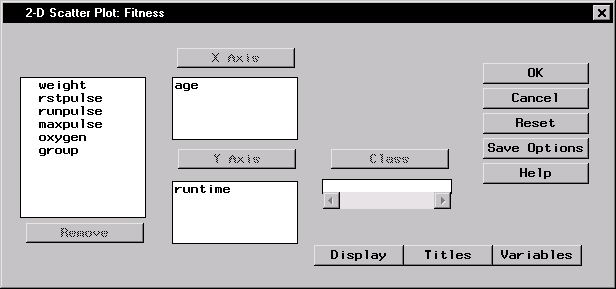
- Select age from the candidate list, and click X Axis to make
age in years the x-axis variable.
- Select runtime from the candidate list, and click Y Axis to
make minutes to run 1.5 miles the y-axis variable.
Figure 5.35: Scatter Plot Variables
To specify your scatter plot display options, follow these steps:
- Click on the Display button to display the Scatter Plot Display
dialog.
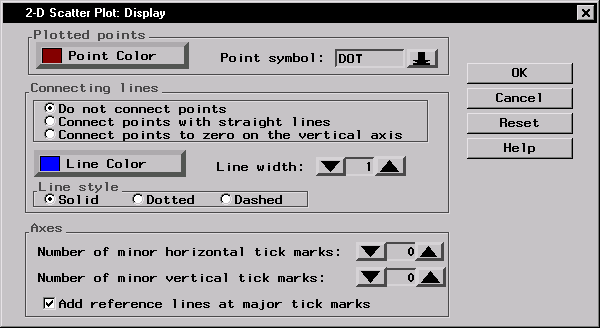
- Under Plotted points, click on the Point Color button.
Select Red from the list of colors to make your scatter plot points red.
Click OK.
- Click on the down arrow next to Point symbol: and select DOT
from the list. This makes your scatter plot points display as dots.
- Under Axes, select Add reference lines at major tick marks.
This displays a grid on the scatter plot by which you can orient the points on
the axes.
Figure 5.36: Display Options
- Click OK to save your display changes.
To specify the titles for your scatter plot, follow these steps:
- Click on the Titles button in the Scatter Plot dialog.
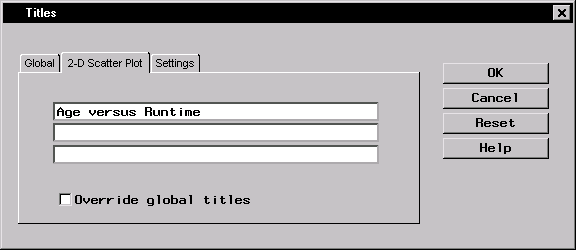
- In the Scatter Plot tab, type Age versus Runtime in the
first field.
Figure 5.37: Scatter Plot Title
- If you did not change the global title in the first exercise in
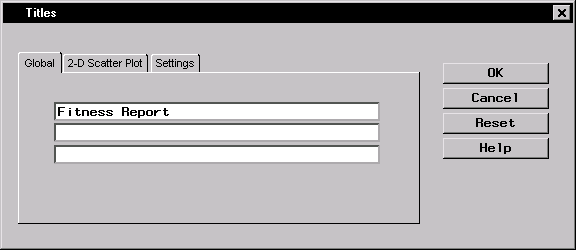
this chapter, click on the Global tab. Type Fitness Report in the
first field. This global title is saved across all Analyst sessions until you
change it.
Figure 5.38: Global Title
- Click OK to save your title changes.
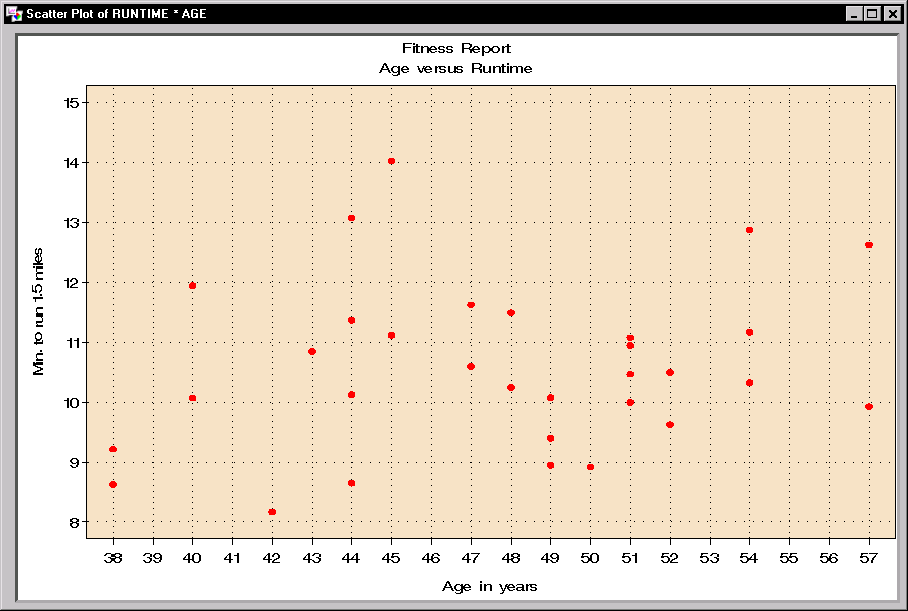
To display your scatter plot, click OK in the Scatter Plot dialog.
Figure 5.39: 2-D Scatter Plot
Copyright © 1999 by SAS Institute Inc., Cary, NC, USA. All rights reserved.