
Chapter Contents

Previous

Next
|
Chapter Contents |
Previous |
Next |
| Creating Graphs |
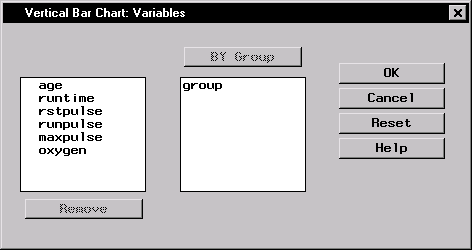
Click on the Variables button to display the Bar Chart Variables dialog.
|
BY group variables separate the data set into groups of observations. Separate analyses are performed for each group and displayed in separate charts. For example, you could use a BY group variable to perform separate analyses on females and males. Specify BY group variables by selecting them in the candidate list and clicking on the BY Group button.
|
Chapter Contents |
Previous |
Next |
 Top |
Copyright © 1999 by SAS Institute Inc., Cary, NC, USA. All rights reserved.