
Chapter Contents

Previous

Next
|
Chapter Contents |
Previous |
Next |
| Marking Observations |
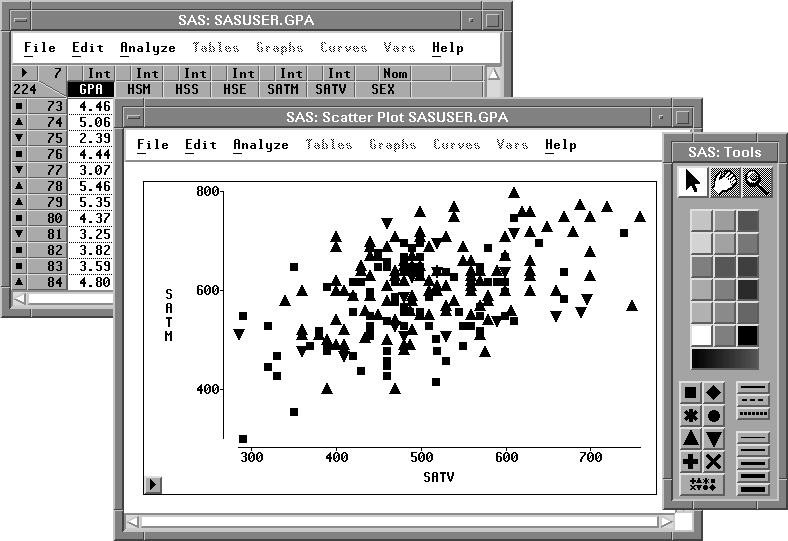
You can also assign markers based on the value of an interval variable.
 | Select GPA in the data window. |
| Click on the multiple markers button at the bottom of the markers window. |
SAS/INSIGHT software assigns three markers to the observations
depending on the value of GPA for that observation.
Observations with values in the upper third of the
range of GPA are assigned upward-pointing triangles.
Observations with values in the middle third of the
range of GPA are assigned squares.
Observations with values in the lower third of the
range of GPA are assigned downward-pointing triangles.
These markers show a rough picture of the correlation
between grade point average and SAT scores.
|
Chapter Contents |
Previous |
Next |
 Top |
Copyright © 1999 by SAS Institute Inc., Cary, NC, USA. All rights reserved.