
Chapter Contents

Previous

Next
|
Chapter Contents |
Previous |
Next |
| The Projman Application |
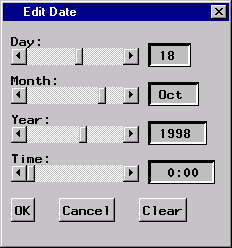
This window can be used to specify and/or modify date values. If no initial date is specified, the current date is used. To modify the date value, use the horizontal sliders to select the desired Day, Month, Year, and Time. Use the OK button to confirm the changes or Cancel to cancel the changes. The Clear button can be used to remove the date specification.
|
|
Chapter Contents |
Previous |
Next |
 Top |
Copyright © 1999 by SAS Institute Inc., Cary, NC, USA. All rights reserved.