
Chapter Contents

Previous

Next
|
Chapter Contents |
Previous |
Next |
| Using Predictor Variables |
The Interventions for Series window now contains definitions for four intervention predictors. Select all four interventions, as shown in Display 27.21.
Display 27.21: Interventions for Series Window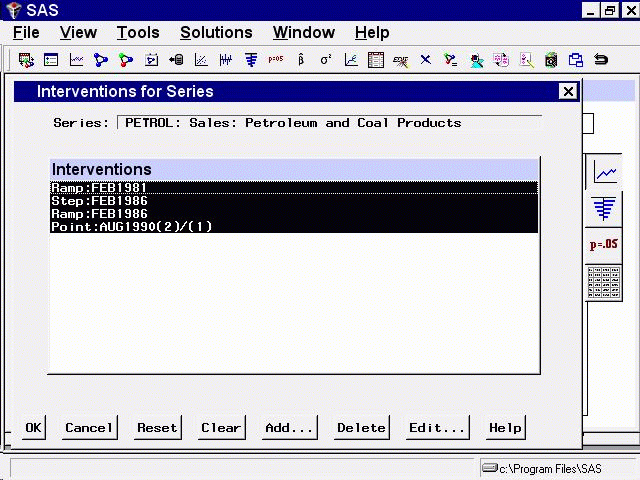
Select the OK button. This returns you to the ARIMA Model Specification window, which now lists items in the Predictors list, as shown in Display 27.22.
Display 27.22: Linear Trend with Interventions Specified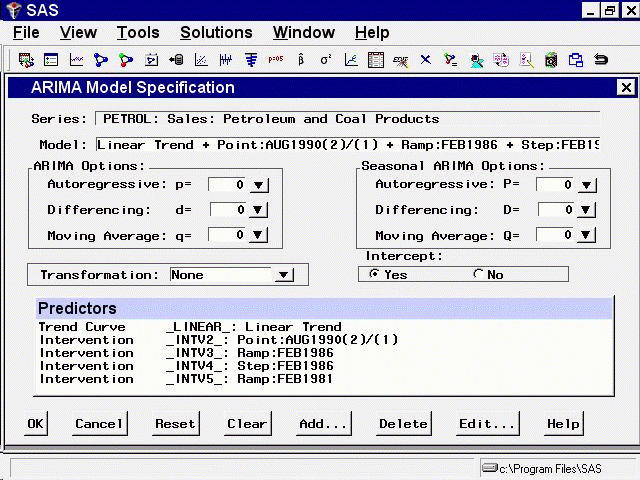
Select the OK button to fit this model. After the model is fit, bring up the Model Viewer. You will see a plot of the model predictions, as shown in Display 27.23.
Display 27.23: Linear Trend with Interventions Model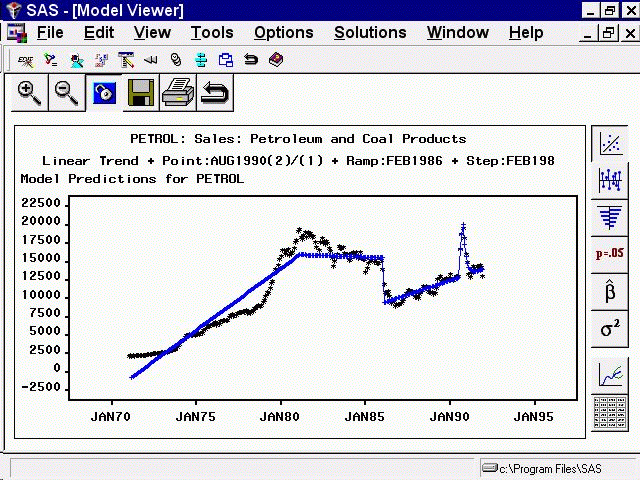
You may wish to use the Zoom In feature to take a closer look at how the complex intervention effect fits the excursion in the series starting in August 1990.
|
Chapter Contents |
Previous |
Next |
 Top |
Copyright © 1999 by SAS Institute Inc., Cary, NC, USA. All rights reserved.