
Chapter Contents

Previous

Next
|
Chapter Contents |
Previous |
Next |
| Multivariate Analyses |
Clicking the Rotation Options button in the Principal Components Options dialog shown in Figure 40.6 displays the Rotation Options dialog shown in Figure 40.7.
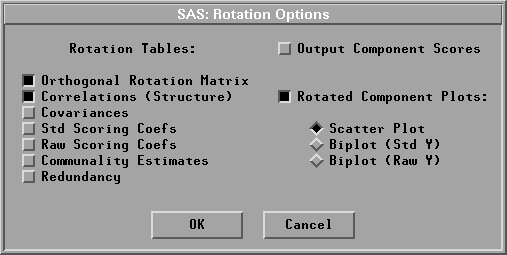
The number of components rotated is specified in the Principal Components Rotation Options dialog shown in Figure 40.4. By default, SAS/INSIGHT software displays a plot of the rotated components (when the specified number is two or three), a rotation matrix table, and a table of correlations between the Y variables and rotated principal components.
|
Chapter Contents |
Previous |
Next |
 Top |
Copyright © 1999 by SAS Institute Inc., Cary, NC, USA. All rights reserved.