

| | | | | | | |
| Rearranging Pages | |||||||
| |||||||
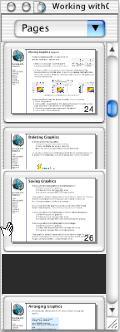 | |||||||
| To reorder your pages, use the Page Thumbnail window (Tools->Page Thumbnails (Cmd-J). • Click on the frame around the thumbnail image and drag the page to where you want it to be in the document. Note: If you click in the page’s thumbnail image, you will create a new pan-zoom rectangle rather than move the page. | |||||||
 | |||||||
| Deleting Pages | |||||||
| |||||||
| To delete a page, choose File->Pages->Remove. You can also choose Remove from the Page Thumbnail window’s Pages menu. | |||||||
| |||||||
| | |
| ||
 | ||
| ||
| Document Pages Master Layers | ||
| |
| |
| Pages Adding Copying Navigating Rearranging Deleting Saving | |