
Chapter Contents

Previous

Next
|
Chapter Contents |
Previous |
Next |
| Examining Distributions |
 | Open the GPA data set. |
| Select the variable SATM by clicking on its name in the data window. |
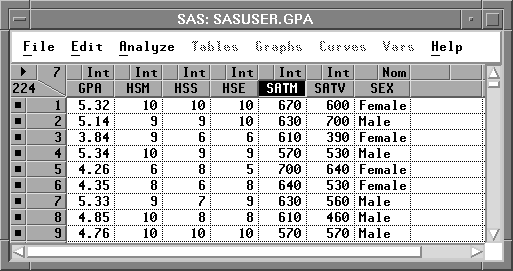
| Choose Analyze:Distribution ( Y ). |
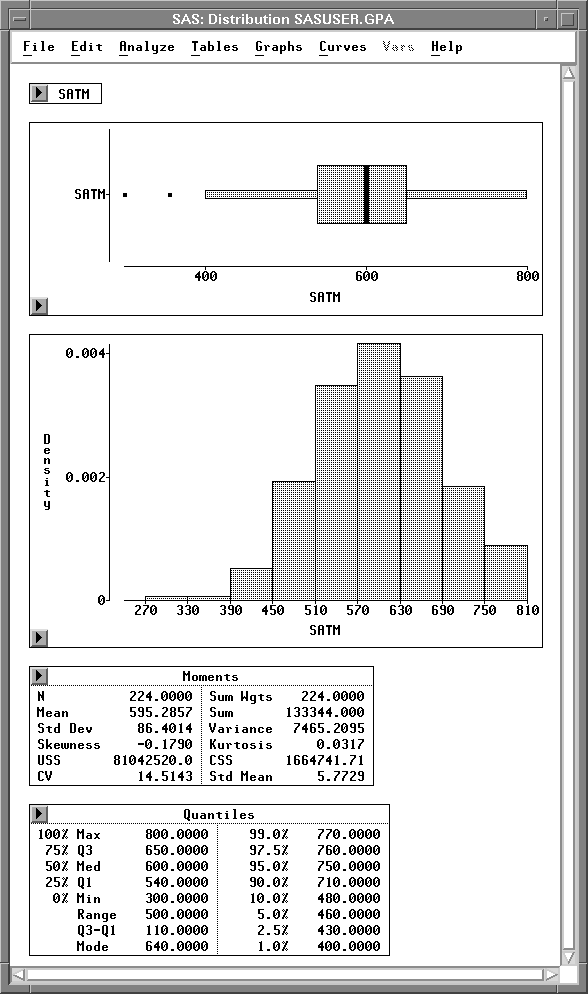
This creates a distribution window, as shown in Figure 12.4. A box plot, histogram, Moments table, and Quantiles table appear by default. With these graphs and tables, you can examine important features of a distribution.
|
Chapter Contents |
Previous |
Next |
 Top |
Copyright © 1999 by SAS Institute Inc., Cary, NC, USA. All rights reserved.
![[menu]](images/exdeq1.gif)